Native on iPhone and Android.
The Dingly app runs your desk, your guest list, your numbers and your shop setup from one phone. It looks at home on each platform: Liquid Glass on iOS 26, Material on Android — in English and Arabic, with full right-to-left layout and Western digits.


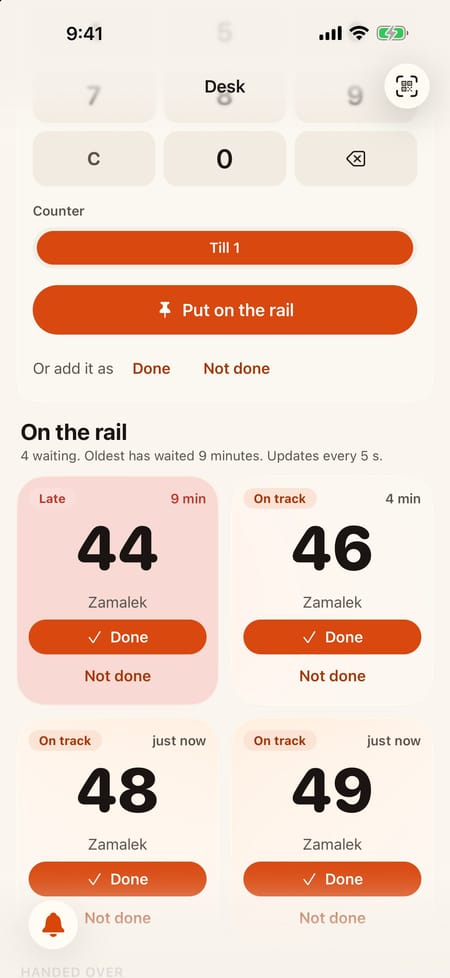
- Desk
- Put a receipt number on the rail and mark it ready, with five seconds to undo a wrong tap. Scan the QR on a guest's card to add a stamp or redeem a reward. Accept table orders and answer table calls.
- Customers
- Search your guests, filter by segment, see visits, stamps and rewards, export the list to CSV, or delete a guest's data on request.
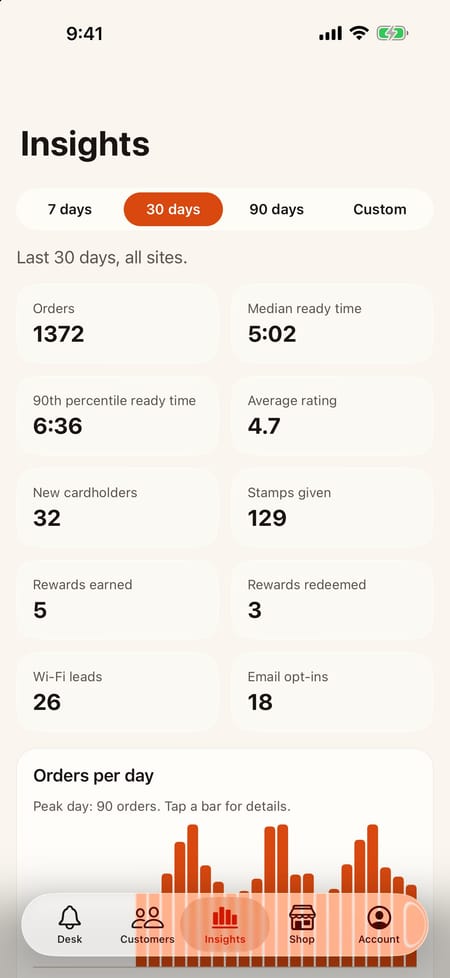
- Insights
- Orders per day, ready times, busiest hours, stamp card use, Wi‑Fi leads, email sign-ups and feedback, for one site or all of them.
- Shop
- Sites, QR and NFC tags, tables, menus (import one from a photo), Wi‑Fi, the guest page, the feedback inbox, your loyalty card and wallet preview, automations and campaigns, your team and counter-tablet codes, and your plan status.
- Account
- Change your password, email or language, turn alerts on or off, or delete your account.
Every open order hangs on one rail.
On the phone, a counter tablet or any browser. Late ones turn amber. Odoo orders hang on the same rail.
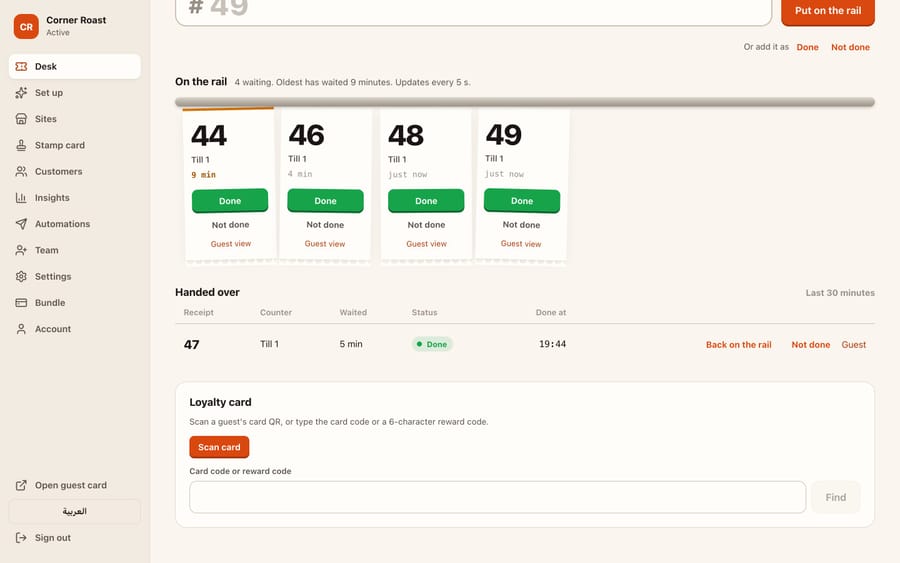
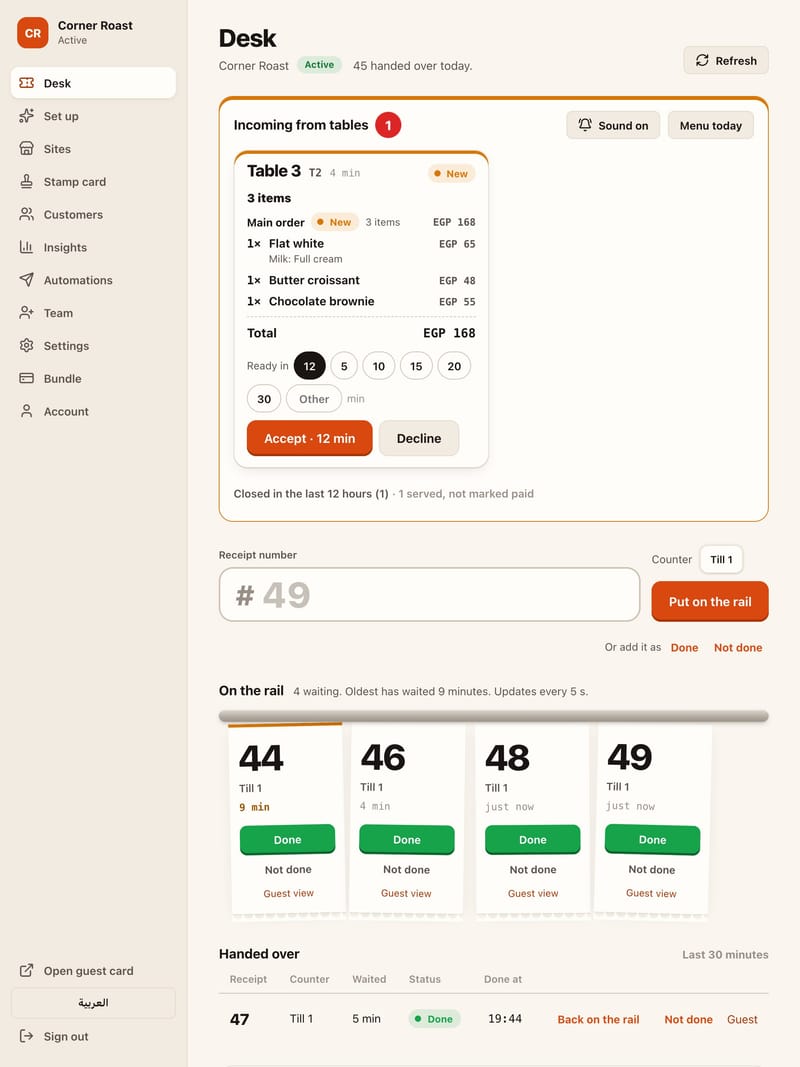
Put it on the railType the receipt number and the guest can follow it at once.
Five seconds to undoTapped the wrong number? Undo it before the guest's phone turns green.
Scan to stampScan the QR on a guest's card to add a stamp or redeem a reward.
Counter tabletsCashiers sign in with a 6-digit code. Each role sees only what it needs.
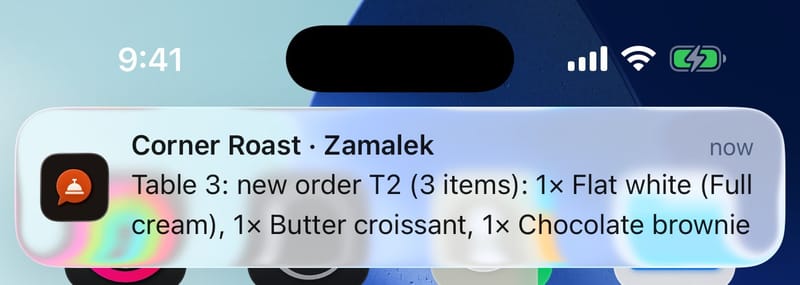
Your phone speaks up when something needs you.
Turn on alerts in the Dingly app. Each person picks their own, and they arrive in that person's language.
- A low rating, or a guest who wants to talk. For owners and managers. Three stars or fewer, or a request to be contacted, sends an alert. The comment and contact details never appear in it, because lock screens are public. Read them in the feedback inbox.
- An order waiting too long. For owners and managers. When an order has waited 8 minutes, the alert names the number and the site. Once per order.
- Table orders and calls, for the whole team. Anyone on the team, cashiers too, can get an alert when a table orders, changes an order or calls. It names the table and the dishes, never the guest's note.
- Off until you turn it on. Choose your alerts in Account. A manager who leaves the team stops getting them at once.
Know who comes back, and bring back who doesn't.
Every tap leaves a guest record you own. Read it on your phone after closing.
- Automations
- Welcome, birthday, win-back and review-request emails that send themselves, in English or Arabic.
- Campaigns
- One-off emails to a segment. They reach only guests who confirmed their email, and every email has a one-click unsubscribe.
- Sites
- Run several branches, each with its own tags, tables, menu, Wi-Fi and feedback inbox.
- Team
- Invite managers and cashiers, and create sign-in codes for counter tablets.